
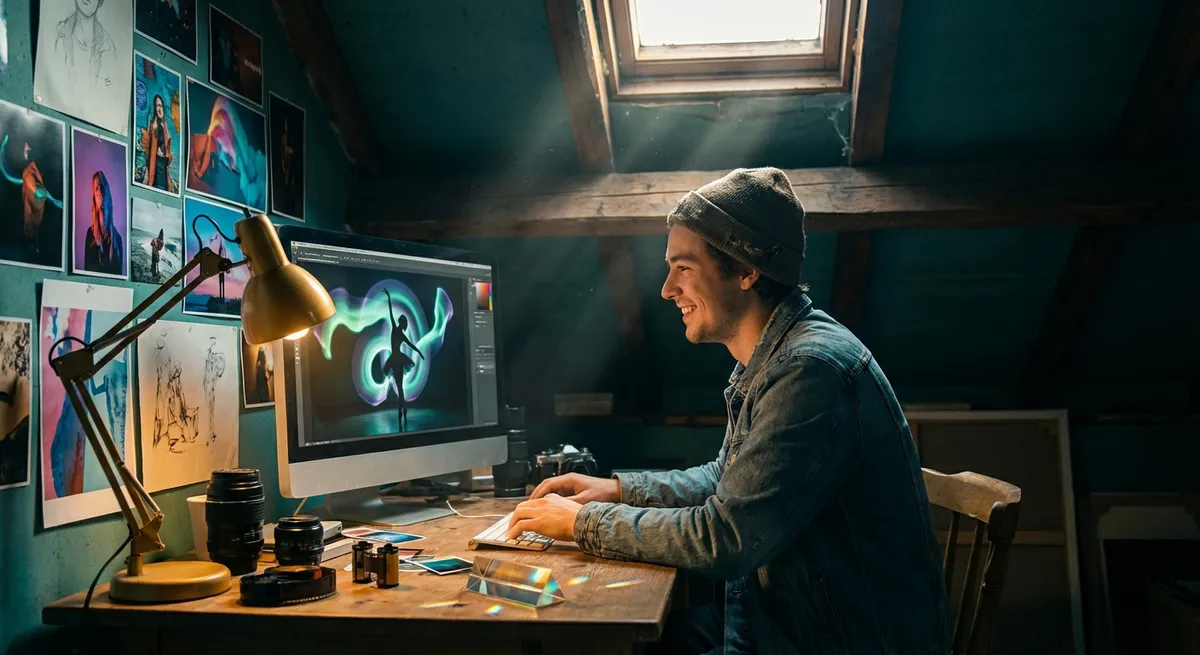
Great photo editing doesn’t start on your computer; it starts the moment you raise the camera to your eye. Editing is where you polish the story, but your choices with light, settings, and timing are what give that story a heartbeat.
This guide is your creative bridge between shooting and editing: practical camera settings, simple technique breakdowns, and hands-on exercises you can try today—plus editing ideas that will make your images pop on SnapFresco and every social feed you share them to.
Start Strong: Shooting With the Edit in Mind
Imagine your edit before you press the shutter. That one shift changes everything.
Instead of asking “What can I fix later?”, ask “What can I enhance later?” Editing works best when your original file is already thoughtfully composed, properly exposed, and emotionally clear.
Here’s how to shoot with your future edit in mind:
- Think “clean canvas”: Avoid distractions that will be annoying to clone out later (trash bins, tangled wires, random limbs in the frame). Move your feet first—editing is second.
- Expose for what matters: If you love moody shadows, protect your highlights. If you want airy brightness, keep detail in the subject’s face. Editing can recover some data, but not pure white or pure black.
- Shoot RAW when possible: RAW files preserve more detail, color, and dynamic range, giving you greater flexibility during editing—especially in highlights and shadows.
- Lock in your story: Before you change settings, ask: Is this image about color, texture, motion, or mood? Your answer should guide how you shoot and later how you edit.
Quick baseline camera setup for daylight scenes:
- Mode: Aperture Priority (A/Av)
- Aperture: f/2.8–f/4 for portraits; f/5.6–f/8 for street/landscapes
- ISO: 100–400
- White Balance: Daylight (or Auto if you’re shooting RAW)
- Drive mode: Continuous low for movement, Single for still scenes
These settings won’t be perfect for every situation, but they give you a consistent, repeatable starting point that makes post-processing easier and more predictable.
Light, Color, and Mood: Settings That Shape Your Edit
Every editing style—moody, bright, cinematic, minimal—starts with how you handle light and color in-camera. Instead of chasing random presets, learn how to build your style from the moment you shoot.
1. Use Exposure Intentionally
Exposure affects how far you can push your images in post.
- For bright, airy edits
- Slightly overexpose (about +0.3 to +0.7 EV) without blowing highlights.
- Keep shadows soft so you can lift them gracefully in editing.
- Great for lifestyle, portraits, and clean product shots.
- For dramatic, moody edits
- Slightly underexpose (around –0.3 to –1 EV) to protect highlights and deepen tones.
- Let shadows go darker; you can add contrast and clarity later.
- Perfect for street, night scenes, and cinematic portraits.
Exercise – “Twin Exposure” Series
Find a single scene (a window, a café table, a street corner) and shoot it twice:
- One slightly overexposed for a soft, airy feel.
- One slightly underexposed for drama and contrast.
Then, edit each version toward its natural mood. Share the before-and-after pairs on SnapFresco and write a one-sentence caption about what you wanted each version to feel like.
Aperture, Shutter, ISO: Your Creative Editing Toolkit
Your camera settings aren’t just technical—they’re emotional. They decide what your editing will emphasize later.
Aperture: Depth & Focus
- Wide aperture (f/1.4–f/2.8)
- Soft, creamy backgrounds; sharp subject.
- Ideal for portraits and detail shots.
- In editing: you can lean into dreamy vibes—soft contrast, gentle color grading.
- Narrow aperture (f/8–f/16)
- More of the scene in focus.
- Ideal for landscapes, architecture, and group shots.
- In editing: emphasize clarity, texture, and micro-contrast.
Try this setup for portraits:
- Aperture: f/2–f/2.8
- Shutter speed: 1/250s or faster
- ISO: 100–800 (depending on light)
- Focus: Single point on the subject’s eye
Shutter Speed: Movement & Energy
Movement creates editing possibilities—blur for emotion, freeze for impact.
- Freeze action
- Shutter: 1/500s and faster (sports, kids, street moments).
- In editing: add punch with clarity and contrast; emphasize sharp details.
- Show motion
- Shutter: 1/5–1/30s (water, traffic, dancers, crowds).
- In editing: enhance streaks and blur with color grading and subtle vignettes.
Exercise – “Motion Story in Three Frames”
Photograph one moving subject three ways:
- 1/1000s – totally frozen.
- 1/60s – slight motion blur.
- 1/5–1/10s – strong motion blur (use a tripod or lean against something).
Edit each frame differently: one crisp and contrasty, one balanced, one dreamlike with softer highlights. Post them together as a mini-sequence.
ISO: Grain & Grit
- Low ISO (100–400) → Clean, smooth files. Great for bright scenes, commercial feel.
- Higher ISO (1600–6400+) → More noise, but can add character if used intentionally.
In editing, you can:
- Reduce noise for a polished, clean look.
- Or leave a bit of grain (or add some) for a documentary, film-inspired feel.
Editing Flow: A Simple, Powerful Workflow
Editing doesn’t have to be overwhelming. A clear order of operations keeps you from “overcooking” your images.
Use this basic flow in Lightroom, Capture One, Snapseed, VSCO, or any editor you like:
Crop & Straighten First
- Fix horizons, distracting edges, and awkward framing. Composition first, color after.
Global Exposure & White Balance
- Adjust overall brightness, contrast, and color temperature/tint. - Warm for cozy, golden tones; cool for calm, moody, or futuristic looks.
Highlights & Shadows
- Pull back highlights to recover sky and skin details. - Lift shadows slightly, but don’t flatten them—depth is your friend.
Presence: Clarity, Texture, Dehaze
- Use sparingly: small tweaks often look more natural than big jumps. - Portraits: more texture on eyes, lips, hair; less clarity on skin.
Color Grading & HSL (Hue, Saturation, Luminance)
- Gently shift hues (e.g., make greens more muted, skies more teal or deep blue). - Adjust luminance to make key colors stand out (brighter oranges for skin, deeper blues for sky).
Local Adjustments
- Radial filter to light up a face or subject. - Brush to darken bright distractions or add detail to a sky.
Final Polish
- Add a subtle vignette. - Sharpen slightly. - Export for your destination (social media, print, portfolio).
Exercise – “One Image, Three Edits”
Take one well-exposed photo and create three distinct edits:
Light & airy
Dark & cinematic
High-contrast black-and-white
Compare them side-by-side and ask: Which edit best matches the emotion of the moment I felt when I took this? That awareness is how you grow your style.
Storytelling Through Color and Contrast
Color is emotion in disguise, and editing is how you tune it.
Build a Color Identity
Instead of random edits, aim for a cohesive color mood:
- Warm & inviting: Lean into golden yellows, warm highlights, soft contrast. Great for portraits, lifestyle, food.
- Cool & calm: Boost blues and cyans, lower saturation slightly, deeper shadows. Great for cityscapes, night scenes, minimalism.
- Muted & timeless: Reduce saturation in greens and yellows, soften contrast, subtle grain. Great for storytelling, documentary vibes.
Use Contrast to Guide the Eye
- High contrast pulls attention and adds drama.
- Low contrast feels soft, dreamy, and quiet.
Try this: choose one main area of contrast (like a face against a darker background) and keep the rest of the frame gentler. Your audience’s eyes will go where you want them to.
Exercise – “Color Rules”
Plan a mini-shoot with one color rule:
- Only warm tones dominate the frame (skin, clothes, wall).
- Or mostly cool tones (blue shirt, blue wall, metallic elements).
Edit to amplify that rule—lean into those color families. This exercise trains your eye for consistency, which is gold for a standout social feed.
Creative Challenges to Level Up Your Editing
These exercises are designed to make you see differently, so your edits feel fresh and intentional instead of trendy and forgettable.
1. The “One Lens, One Day” Challenge
- Pick one focal length (or one prime lens).
- Shoot an entire day with it—no changing lenses or drastic zooming.
- Focus on composition, light, and timing.
In editing, aim for a unified look for the entire series: similar contrast, color tone, and crop style. This is how you build a visually consistent story.
2. The “Shadow Hunt”
- Go out at golden hour or late afternoon.
- Photograph only shadows and silhouettes—faces, buildings, plants, anything.
Edit with:
- Deep blacks.
- Strong contrast.
- Simple, controlled color palette.
You’ll train yourself to see graphic shapes and negative space, which makes your edits more powerful and minimal.
3. The “Five-Minute Edit”
- Set a timer for five minutes per image.
- You must finish your edit within that window.
This forces you to prioritize what actually matters: exposure, color, and storytelling, instead of endless micro-tweaks.
Editing for Social Sharing: From Camera Roll to SnapFresco-Ready
Once you’ve crafted an image you love, make sure it shines where people will see it.
Prepare for Web and Social
- Aspect ratios
- Vertical (4:5 or 2:3) often performs best on social feeds.
- Square (1:1) is still strong for grids and thumbnails.
- Landscape for banners, headers, and web features.
- Export settings (general guideline)
- Long side: 2048–3000 px for most platforms.
- Quality: 80–90% JPEG to balance file size and detail.
- Sharpen: “Screen” or equivalent option if available.
Think Like a Storyteller, Not Just a Retoucher
When you share:
- Show before & after edits as a swipe or carousel. People love seeing the transformation.
- Share short behind-the-scenes captions: what you felt, what was hard, what you learned.
- Group images into mini-series—same mood, same color treatment, different angles.
That’s how your work becomes memorable, not just “pretty.”
Conclusion
Every time you press the shutter, you’re giving your future self—your editing self—a gift.
Thoughtful camera settings create stronger raw material. Deliberate editing turns that material into a story. And creative exercises keep you curious, playful, and always improving.
You don’t have to have the fanciest gear or the most dramatic locations. Start with what you have: the light around you, the camera in your hands, and the way you see the world. Then use editing as your brush, gently shaping reality into something that feels just a bit more like your own voice.
One frame at a time, you’re not just making photos—you’re building a visual language. Keep experimenting, keep sharing, and let your next edit be a little braver than your last.
Sources
- [Adobe Photography Tutorials](https://www.adobe.com/creativecloud/photography/discover.html) - Step-by-step guides on Lightroom and Photoshop workflows, including exposure, color, and local adjustments
- [Nikon Learn & Explore](https://www.nikonusa.com/en/learn-and-explore/index.page) - Practical lessons on camera settings, exposure, and composition from a major camera manufacturer
- [Canon Photo Tips & Tutorials](https://www.canon.com.cy/pro/infobank/) - In-depth articles on shutter speed, aperture, ISO, and creative techniques for different genres
- [Harvard Digital Photography Course Materials](https://cs50.harvard.edu/x/2020/notes/4/) - Educational content covering the technical foundations of digital photography and image processing
- [National Park Service Night Sky Photography Tips](https://www.nps.gov/subjects/nightskies/capture-the-night-sky.htm) - Government resource with hands-on camera setting suggestions for low-light and night photography